



WD My Passport Data Recovery: What Really Happens
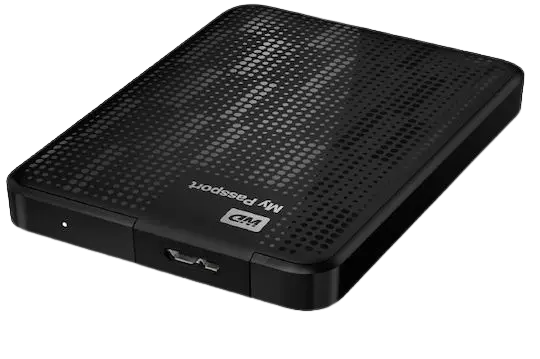
Western Digital My Passport external hard drives are among the most widely used 2.5” portable drives. They are compact, easy to carry, and available in many capacities, ranging from 500GB up to 6TB.
The problem? Most users believe data recovery is just “a piece of software” or “a single button”. With WD My Passport drives, this mindset often leads to irreversible data loss, because not all My Passport drives are the same internally, and they do not behave the same way.
Important: Many My Passport families are SMR, others are CMR, several use hardware encryption (SED), and some rely on mechanisms such as a 2nd translator, media cache, and intensive background activities. For a detailed explanation of SMR vs CMR technology, see here:
SMR vs CMR differences in WD drives.
WD My Passport families & common failure types
Western Digital internally divides its drives into distinct “families”. These families share the same geometry, firmware architecture, head count, and overall behavior. In simple terms: two WD My Passport drives that look identical on the outside may be completely different on the inside — and this determines how data recovery must be handled.
The most common WD My Passport families
- Palmer – 1TB, 2 heads, SMR
Examples: WD10SMZW-11Y0TS0, WD10SDZW-11UMGS0 - Charger – 2TB, 4 heads, SMR
Examples: WD20SMZW-11YFCS0, WD20SDZW-11JJ8S0 - Spyglass I – 3TB & 4TB, 8–10 heads, SMR
Examples: WD30NMZW-11GX6S1, WD40NPZZ-00PDPT0 - Spyglass II – 4TB, 8–10 heads, SMR
Examples: WD40NDZW-11MR8S1, WD40NDZW-11A8JS1 - Spyglass III – 4TB & 5TB, 8–10 heads, SMR
Examples: WD40NDZW-11BCSS0, WD50NDZW-11BCVS1 - Oakmont2 – 4TB, 5TB & 6TB, 8–12 heads, SMR
Examples: WD60NDZW-11C8XS1
Palmer (1TB): heads, stiction & firmware failures
In Palmer drives, the most common failure is damaged read/write heads, usually caused by drops, shocks, or rough handling. These drives are extremely sensitive and have very low mechanical fault tolerance.
Because they use SMR, hardware-level Write Protection (WP) is absolutely critical before any recovery attempt. Incorrect handling may destroy critical translators, causing the drive to return only zeroed data.
The second most common issue is stiction — the heads stick to the platters and the drive cannot spin up. If you hear unusual clicking or scraping noises, stop powering the drive immediately. You can hear typical examples here:
damaged head & stiction sounds.
Firmware failures (2nd translator corruption, Relo issues, AOC / Abort On Command) are also common and can only be handled using advanced recovery techniques and professional equipment.
Charger (2TB): same concept, more aggressive behavior
Charger drives follow the same general design philosophy as Palmer drives, but are often more aggressive at the firmware level. Because they rely heavily on the 2nd translator, firmware-related failures are more frequent.
Statistically, the most common failures are still damaged heads, followed by media damage due to poor tolerance to vibration and shock.
Practical conclusion: For Charger drives, hardware Write Protection is not optional — it is mandatory. These are drives that do not forgive mistakes.
Spyglass I (3TB–4TB): SMR, many heads & SED encryption
The Spyglass I family uses SMR, so it relies on a 2nd translator. Other family peculiarities:
- Many heads (typically 8+), making head replacement significantly more complex.
- Most drives are SED (Self-Encrypted Drives), meaning data is hardware-encrypted.
- USB-to-SATA conversion without proper procedures can result in encrypted, unusable data.
These cases require specialized firmware access and secure decryption procedures.
Spyglass II & III (SMR): 2nd translator, WP before power-up, firmware intervention
Spyglass II & III return fully to the SMR model. Here, the 2nd translator is critical, meaning hardware Write Protection must be applied before any serious operation — not software write blockers, not “later”, and not only during recovery, but even during diagnostics. A degraded drive must be write-protected before every power-up.
In many cases, head replacement alone is not sufficient. Targeted firmware interventions are often required to make the drive cooperate and allow safe data reading.
Oakmont2 (4TB–6TB): the most complex SMR architecture
The Oakmont2 family uses a complex combination of 2nd translator + media cache + SVG to improve SMR performance and reduce its inherent limitations.
In practice, the most common failures involve damaged heads and firmware corruption, requiring a carefully planned recovery strategy.
WD My Passport specifics you should know
1) Format & TRIM: often means zeroed data
On SMR-based My Passport drives, even a quick format may trigger TRIM/zeroing mechanisms, causing read commands to return only zeros. Conventional software-based recovery tools are ineffective in these cases. At Northwind Data Recovery, we use complex, manual techniques that analyze the drive’s translator and reconstruct older data structures and filesystems.
2) Encryption & unique PCB key
Families such as Charger, Spyglass II, Spyglass III & Oakmont2 encrypt data using a unique key stored on the drive’s PCB. If the PCB is lost or severely damaged, recovery becomes extremely difficult or, in some scenarios, impossible.
3) Background activities, supermodules & dangerous legacy techniques
SMR families use large supermodules and perform intensive background operations. Legacy techniques that worked on older CMR WD drives (such as “clear reallocation”) are not applicable here and may permanently destroy critical modules. Proper recovery requires techniques that block unwanted background activity and allow controlled data access.
Western Digital drives (general)
If your drive is Western Digital but not a My Passport, or belongs to an older Passport generation, you can also see our general WD recovery page here:
Western Digital data recovery.
Conclusion
WD My Passport data recovery is not “a single button”. It requires correct diagnosis, the right strategy for each family (SMR / CMR / SED), and proper handling from the very first moment. Avoiding mistakes early dramatically increases the chances of successful recovery.
Before you do anything else
If your WD My Passport:
- is not recognized,
- makes unusual noises,
- was dropped,
- was accidentally formatted,
- or you were told “it cannot be recovered”,
stop experimenting. Every additional attempt may significantly reduce recovery chances.
At Northwind Data Recovery, evaluation is performed by data recovery engineers with decades of hands-on experience.